


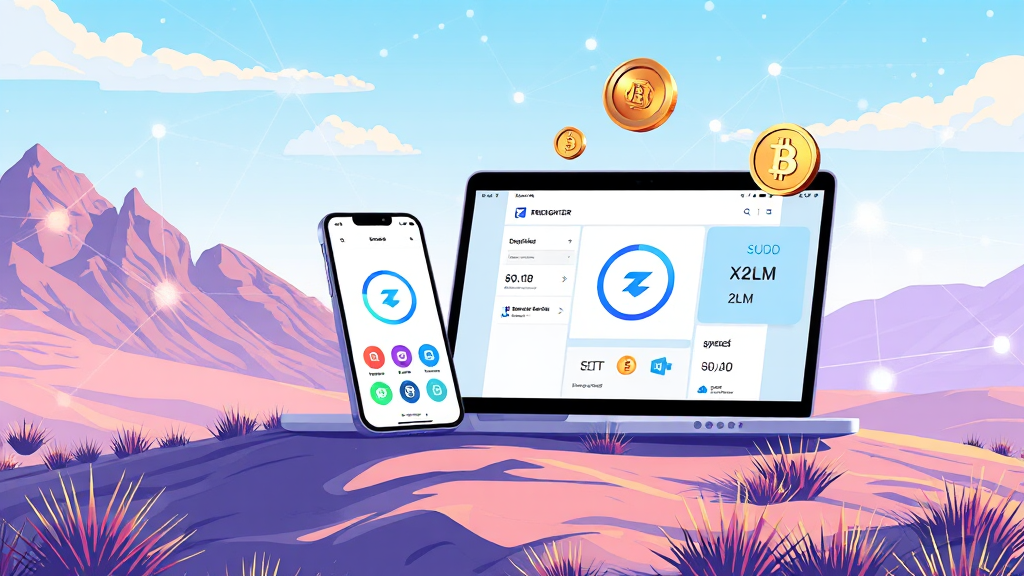
Freighter Wallet App: Your Gateway to the Stellar Ecosystem
Freighter Wallet App: Your Gateway to the Stellar Ecosystem
The world of blockchain can feel overwhelming, especially when you’re trying to find a secure and user-friendly way to manage your digital assets. If you’re active in the Stellar ecosystem, you’ve likely heard about the freighter wallet app. It’s more than just a place to store coins; it’s a bridge to a whole universe of decentralized applications built on Stellar. This guide will walk you through everything you need to know about this powerful tool, from its core features to practical tips for getting started.
What Is the Freighter Wallet App?
Freighter is a non-custodial wallet specifically designed for the Stellar network. This means you have complete control over your private keys and, consequently, your funds. Unlike custodial wallets where a third party holds your assets, Freighter puts the power back in your hands. It’s available as a browser extension for Chrome, Firefox, and Edge, as well as a mobile app for iOS and Android. This cross-platform availability ensures you can manage your Stellar assets wherever you are. The app is developed by the team behind the Stellar network, ensuring a high level of trust and ongoing development. In essence, it acts as your personal gateway to interact with various Stellar-based applications, making it a cornerstone tool for anyone serious about using this blockchain.
Why Choose a Non-Custodial Stellar Wallet?
When you use a non-custodial wallet like Freighter, you are the sole custodian of your funds. This is a fundamental shift from traditional banking or even centralized exchanges. The key advantage is security and autonomy. With a non-custodial wallet, you eliminate the risk of exchange hacks or freezes—common pitfalls in the crypto world. You alone hold the private keys, and as long as you keep them safe, your assets are safe. Freighter also simplifies the process of interacting with the Stellar network. Instead of manually handling transactions or dealing with complex command-line tools, you have a friendly interface that lets you send and receive assets like USDC and XLM with just a few clicks. For those who value financial sovereignty, the freighter wallet is an essential tool.
Key Features of the Freighter Wallet App
Freighter is packed with features designed to make your Stellar experience smooth and secure. Let’s delve into some of its most notable capabilities.
Seamless Asset Management
At its core, Freighter allows you to send and receive any asset issued on the Stellar network. This includes popular ones like USDC (a stablecoin pegged to the US dollar) and Lumens (XLM), the native token. The interface is clean and intuitive, showing your balances clearly and making transaction history easy to review. You can add custom assets by their asset code and issuer, giving you full control over what you hold. This flexibility is crucial for those who deal with various tokens in the Stellar ecosystem.
Built-in Browser for Stellar Apps
One of Freighter’s standout features is its ability to connect you directly to Stellar-based applications. The wallet integrates with the Stellar network’s decentralized apps (dApps) through a secure connection. This means you can interact with lending protocols, decentralized exchanges, and NFT marketplaces all from within the Freighter interface. The built-in browser on the mobile app makes it easy to navigate these dApps, while the browser extension does the same on desktop. This functionality transforms Freighter from a simple wallet into a full-fledged web3 gateway.
Robust Security Measures
Security is paramount in the crypto space, and Freighter takes it seriously. Your private keys are encrypted and stored locally on your device, never on a central server. The app also supports hardware wallet integration, allowing you to use devices like Ledger for an extra layer of security. This means that even if your computer or phone is compromised, your funds remain safe. Freighter also provides a recovery phrase (seed phrase) when you first set up your wallet, which you must store offline. This phrase is the only way to recover your wallet if you lose access to your device, so it’s critical to keep it secure.
Getting Started with Freighter
Setting up Freighter is a straightforward process. Here’s a step-by-step guide to help you get started.
Installation and Setup
First, visit the official Freighter website or your device’s app store to download the wallet. For desktop users, you’ll install a browser extension. For mobile users, you’ll download the app from the App Store or Google Play. Once installed, you’ll be prompted to create a new wallet. During this process, you’ll be given a 12-word recovery phrase. Write it down on paper and store it in a safe place. Never share this phrase with anyone. After confirming your recovery phrase, you’ll set up a password for accessing the wallet on your device. This password is used to unlock the wallet locally and is different from your recovery phrase.
Funding Your Wallet
To start using your Freighter wallet, you’ll need to fund it with some assets. The easiest way is to send XLM or USDC from an exchange or another wallet to your Freighter public address. Your public address is a long string of characters that starts with ‘G’. You can find it in the main dashboard of your wallet. Simply copy this address and use it as the destination for your transfer. Once the transaction is confirmed on the Stellar network, your balance will appear in Freighter. Remember that Stellar requires a minimum balance of 1 XLM to activate an account, so make sure you send at least that amount.
Frequently Asked Questions
Is Freighter safe to use?
Yes, Freighter is considered safe when used properly. It is a non-custodial wallet, meaning you control your private keys. The app uses industry-standard encryption and offers integration with hardware wallets for enhanced security. However, the safety of your funds also depends on your own practices. Always keep your recovery phrase offline and never share it with anyone. Be cautious of phishing attempts and only download the app from official sources.
Can I use Freighter on multiple devices?
Yes, you can use Freighter on multiple devices. To do so, you’ll need to import your existing wallet using your recovery phrase. When you install Freighter on a new device, choose the option to ‘Import Wallet’ instead of creating a new one. Enter your recovery phrase, and your wallet will be restored. This allows you to access your assets from both your desktop and mobile devices seamlessly.
What is the difference between Freighter and other Stellar wallets?
Freighter is unique because it is developed by the Stellar Development Foundation, ensuring deep integration with the network. It also offers a built-in dApp browser, which many other wallets lack. This makes it easier to interact with Stellar-based applications directly from your wallet. While other wallets may offer similar features, Freighter’s official status and user-friendly design make it a top choice for many users.
Does Freighter support all Stellar assets?
Freighter supports all assets that are issued on the Stellar network. This includes standard assets like XLM and USDC, as well as any custom tokens issued by other projects. You can add any asset by its code and issuer address. This flexibility ensures that you can manage a diverse portfolio within a single wallet.
In conclusion, the freighter wallet app is an indispensable tool for anyone looking to engage with the Stellar ecosystem securely and efficiently. Its non-custodial nature, combined with a user-friendly interface and robust features, makes it stand out in the crowded crypto wallet space. Whether you’re a seasoned crypto enthusiast or a newcomer, Freighter provides the tools you need to navigate the world of Stellar with confidence. Download it today and take control of your digital assets.
Readers who are interested in this topic will benefit from exploring multiple perspectives and understanding the nuanced approaches that industry leaders recommend. Taking time to research thoroughly ensures better outcomes and more informed decision-making.
Those looking to gain deeper knowledge in this area should consider following expert analysis, staying updated with the latest developments, and engaging with professional communities where these topics are discussed in detail.
A comprehensive understanding of this subject requires looking at both theoretical foundations and practical applications. By combining study with hands-on experience, learners can develop a well-rounded perspective that serves them well in real-world scenarios.
As the landscape continues to shift and evolve, staying informed about emerging trends and best practices becomes increasingly valuable. This ensures you remain competitive and capable of adapting to new challenges as they arise.





Leave a Reply